
₨ 17,500
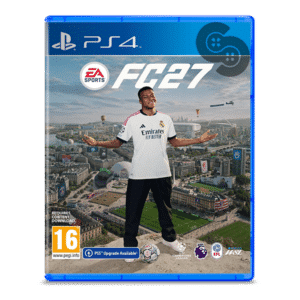
EA SPORTS FC 27 PS4
₨ 13,500
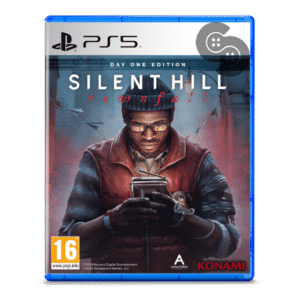
Silent Hill Townfall PS5


GuliKit Goku 2 Wireless Controller Adapter – NS36
₨ 4,900
In Stock
In Stock
Important Notice for Cash on Delivery Orders:
The customer must pay Rs. 500/- in advance before the product is shipped. The remaining product price will be collected via Cash on Delivery (COD).
The customer must pay Rs. 500/- in advance before the product is shipped. The remaining product price will be collected via Cash on Delivery (COD).
⚠️ کیش آن ڈیلیوری آرڈرز کے لیے اہم اطلاع:
شپنگ چارجز Rs. 500/- کسٹمر کو پہلے سے ادا کرنا ہوں گے (شپمنٹ سے قبل)۔
پروڈکٹ کی قیمت کی ادائیگی نقد رقم بذریعہ ڈیلیوری کے ذریعے کی جائے گی۔
شپنگ چارجز Rs. 500/- کسٹمر کو پہلے سے ادا کرنا ہوں گے (شپمنٹ سے قبل)۔
پروڈکٹ کی قیمت کی ادائیگی نقد رقم بذریعہ ڈیلیوری کے ذریعے کی جائے گی۔
Description
One small USB-A dongle turns almost any modern gamepad into a plug-and-play controller for almost any system. The GuliKit Goku 2 links a PS5 DualSense, Xbox Elite Series 2 or Switch 2 Pro pad to your PC, console or handheld with no drivers to install.
Hyperlink 2 wireless is what sets it apart from a generic receiver. On Windows it cuts input lag to 5.75ms with a PS5 controller and as low as 2.95ms with GuliKit’s own TT Series, comfortably ahead of what standard Bluetooth manages.
GuliKit Goku 2 Wireless Controller Adapter Features
- Pairs with PS5 DualSense and DualSense Edge, Xbox Series X|S, Xbox Elite Series 2, Xbox One Bluetooth, PS4 DualShock, Switch Pro, Switch 2 Pro and GuliKit controllers.
- Works across Windows 7 or later, Android 9.0 or later, Switch, Switch 2, SteamOS Holo 3.4 or later, Steam Deck and ROG handhelds, Xbox One, Xbox Series X|S and PS4.
- Hyperlink 2 wireless hits 5.75ms at a 750Hz polling rate with PS5 controllers, dropping to 2.95ms at 810Hz with the GuliKit TT Series.
- The first Bluetooth adapter to support the Switch 2 Pro controller, so your newest pad is no longer tied to one console.
- Brings PS5 controller features to PC including adaptive triggers, gyro motion, touchpad and custom lighting, in compatible titles with Native Output Mode enabled.
- Dial in semi-auto and auto Turbo, vibration intensity, thumbstick sensitivity and trigger sensitivity, then let it auto-reconnect to saved pads on power-up.
Xbox One, Xbox Series X|S and PS4 consoles must be started and paired using an original controller before the Goku 2 can be used on them. Handheld play on Switch, Steam Deck or ROG Ally also requires an OTG or USB-C to USB-A cable, which is not included. HD rumble is not supported.
Related products
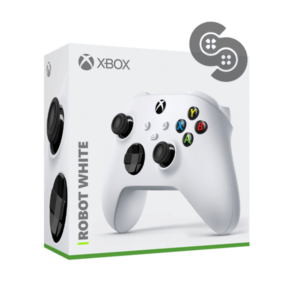
Original price was: ₨ 16,500.₨ 16,000Current price is: ₨ 16,000.
XBOX Robot White Controller for Series X/S
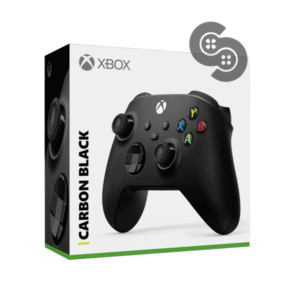
Original price was: ₨ 16,500.₨ 15,500Current price is: ₨ 15,500.
Reviews
There are no reviews yet.